How to Label Cables and Chargers So You Can Tell Them Apart
Label both ends of every cord with the name of its device. Four simple methods, what to write, how to color-code and how to keep chargers and adapters together as pairs.
At a glance
What you need
- Write-on cable tags or writable tape
- Fine permanent marker
- Colored tape or bands (optional)
- Scissors
- Dry cloth
- Index card for the color key
Six black cords run into one power strip and you need to unplug the printer. Which one is it? Without labels the usual answer is to trace each cord by hand, or to pull one and see what goes dark.
Knowing how to label cables removes that guesswork. The job is small: a tag at each end of every cord, written in words you will still understand next year. It takes roughly half an hour for one desk, and it pays off every time you move a device, pack for a trip or sort the spare-cable box.
What to gather
- Write-on cable tags, or a roll of paper-based or cloth tape that takes pen
- A fine permanent marker
- Colored tape or small colored bands, if you want a color code
- Scissors
- A dry cloth
- An index card for the color key
Choose a labeling method
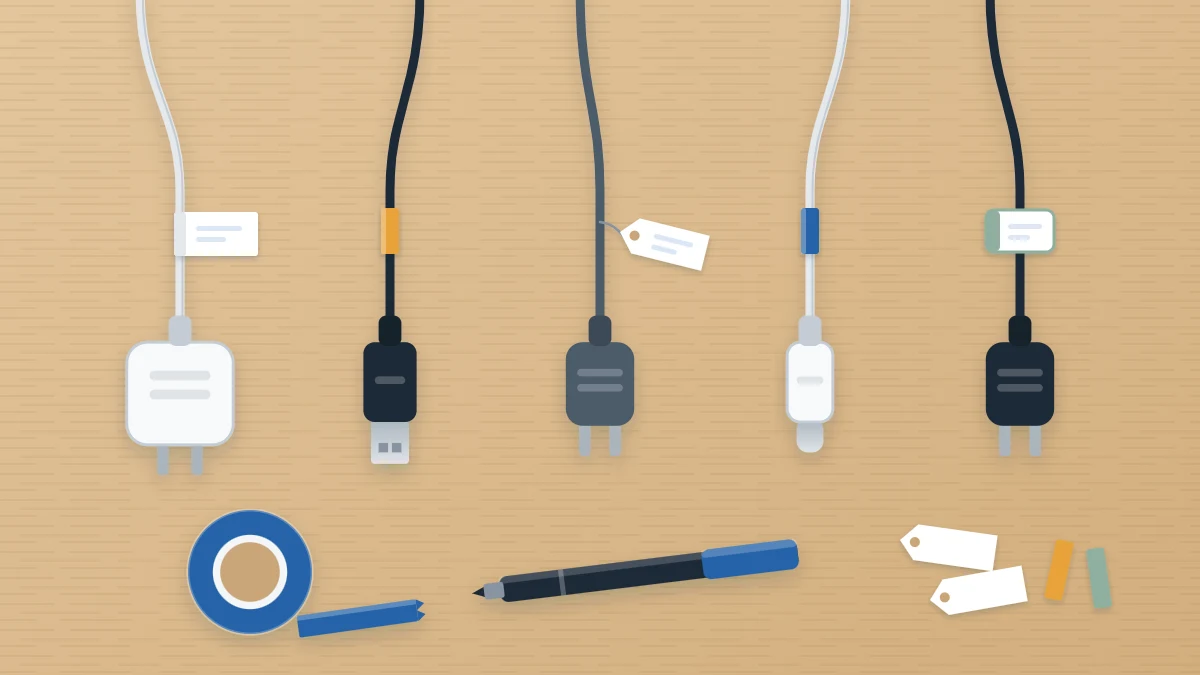
Four methods cover almost every cord. Pick one as your main method so all the labels look and read alike.
| Method | How it works | Best for |
|---|---|---|
| Write-on cable tags | A small tag with a tail that wraps or threads around the cord | Desk cords you want to read at a glance |
| Tape flag | A strip of tape folded around the cord and stuck to itself, leaving a flat tab to write on | A quick, low-cost job with supplies you already have |
| Colored bands | A ring of colored tape or a colored tie, matched to a written key | Telling owners or rooms apart from a distance |
| Clip-on tags | A rigid tag that snaps over the cord and can be moved | Cords that change devices often |
How to make a tape flag
- Cut a strip of tape about as long as your finger.
- Lay the cord across the middle of the sticky side.
- Fold the tape over the cord and press the two halves together, lining up the edges.
- Write on the flat tab, on both faces if it will be seen from either side.
Label both ends of every cord
A cord has two ends, and you are rarely looking at both. At the power strip you need to know which plug is the monitor. At the back of the monitor you need to know which of three cords is power. So each cord gets two labels carrying the same word.
- Switch off and unplug the device before handling its cord.
- Wipe the cord with a dry cloth where the label will sit, so the adhesive holds.
- Place the first label a short distance from the plug, about two finger widths back, on the cord itself.
- Follow the cord by hand to the other end and place the second label the same distance from that connector.
- Plug the cord back in, then move to the next one.
Safety note
Keep every label on the cord, clear of the plug pins, metal contacts and any vents on a charger. Never wrap tape around the plug body or the pins. Labeling is also a good moment to check each cord: stop using and replace any that is frayed, cracked or gets unusually hot. Do not overload an outlet or power strip, and follow the manufacturer’s instructions for the strip and for the devices plugged into it.
What to write on the label
Write the device, not the cable type. “Printer” tells you what happens if you pull the plug. The name of a connector standard does not, and several cords on the same desk will share it.
- Use the name you say out loud: “Lamp”, “Monitor”, “Kitchen speaker”.
- Add a second word only when two devices would otherwise match: “Monitor left”, “Monitor right”.
- For cords with a job at each end, name both: “Laptop to monitor”.
- Add the owner’s name or initial where a household shares similar chargers.
- Print in capitals with a fine marker. Small handwriting on a narrow tag is hard to read under a desk.
Keep the wording in line with the rest of the room. If your boxes and folders already follow a pattern, use the same one here. The guide to home office labels covers choosing a single wording style and sticking to it.
Add a simple color code
Color works well alongside words, because you can pick out a blue band among six black cords before you can read anything. Keep the scheme small:
- one color per person in a shared household, or
- one color per group of equipment, such as computer, printer and lighting.
Write the key on an index card and keep it where the cords are, for example taped inside the lid of the cable box or to the underside of a shelf. A code that lives only in your memory stops working the first time someone else needs it.
Label chargers and adapters as pairs
Many chargers come in two parts: a plug-in adapter block and a detachable cable. Once separated they are easy to mix up, and not every block suits every device. Use the charger the device maker supplies or recommends, and label so the pair stays together.
- Put the same word on the block and on the cable: “Tablet” and “Tablet”.
- On the block, place a small label on a flat side, away from the pins and any printed information you may need to read later.
- On the cable, label near the end that plugs into the block.
- For travel chargers, add the owner’s name.
Label the cords in the spare-cable box
Spare cables need labels most of all, since there is no device attached to give a clue. Tag each one with what it is for before it goes into storage, and mark any whose purpose you cannot work out with a question mark and a date.
How to coil, contain and arrange the spares is covered in the guide on how to store spare cables, chargers and adapters.
Tip
Keep a few blank tags and the marker in the same box as the spare cables. A new device then gets its cord labeled on the day it arrives, when you still know exactly what it is.
Keep the labels useful
Labels go stale when devices change. When you replace a device, peel off the old label and write a fresh one instead of crossing out.
If labeling shows that the cords themselves are in a tangle, sort the routes next with the steps for desk cable organization. Labeled cords are much quicker to group and guide.
Frequently asked questions
What is the cheapest way to label cables?
A tape flag. Fold a short strip of writable tape around the cord so the two sticky halves meet, leaving a flat tab, and write the device name on it with a fine marker. It uses supplies most homes already have and peels off when the device changes.
Should I write the device or the cable type on the label?
Write the device, such as Printer or Lamp. That tells you what will switch off if you pull the plug. Several cords on one desk often share a connector type, so the type alone does not tell them apart. Add a second word only to separate two similar devices.
Where exactly on the cord should the label go?
On the cord itself, about two finger widths back from the plug or connector, and again at the same distance from the other end. Keep labels away from the plug pins, metal contacts and charger vents, and never wrap anything around the plug body.