How to Store Spare Cables, Chargers and Adapters
Sort the box of mystery cables: match each one to a device you still own, recycle the damaged ones, coil the rest loosely, label them and store one per compartment.
Almost every home has the box: a tangle of chargers, cables with connectors nobody recognizes, a few adapters and the cord for a camera that left the house years ago. It is kept in case something is needed, and when something is needed, nobody can find it in there.
Learning how to store cables properly comes down to three things: keep only the ones that match a device you still own, coil each one loosely, and give each its own compartment with a label. A typical box takes about an hour to sort from start to finish.
Empty the box and untangle
Tip everything out onto a table or a clean patch of floor. Separate the tangle gently by finding one plug and feeding it back through the knot, instead of pulling from the middle, which tightens it and strains the connectors.
Lay each cable out straight on its own. Put adapter blocks, plug adapters and small accessories in a separate row. Unwind anything wrapped tightly around a charger block and let it relax.
Match each cable to a device you still own
Bring the devices to the table, or carry cables to them, and test the fit: does this connector go into that device? Sort into four groups as you go.
| Group | What goes in it | What happens next |
|---|---|---|
| Matched | Cables and chargers that fit a device you own and use | Coil, label and store |
| Duplicates | Extra copies of a matched cable | Keep one or two spares, pass the rest on |
| Unidentified | Cables you cannot match to anything | Into a dated bag for one more check |
| Damaged | Anything frayed, cracked, bent or loose at the connector | Out of use, to electronics recycling |
Be firm with duplicates. One spare for each kind of cable you use daily, plus one for travel, covers most households.
If the cable box is one small part of a room full of things to sort, do it as its own stage of a wider home office decluttering plan so the leftovers have somewhere to go.
Set aside the unidentified and the damaged
Put the unidentified cables in one zip bag and write today’s date on it. Ask the rest of the household whether they recognize anything. If the bag is still unclaimed the next time you sort the box, its contents can go.
Damaged cables and chargers are not kept in use and are not kept as backups. Stop using any cable or charger that is frayed, cracked, bent at the connector or has been getting unusually hot, and do not try to mend it with tape. Take damaged and unwanted cables to a local electronics recycling point instead of putting them in the household trash.
Coil each cable loosely
How a cable is coiled affects how long it lasts. Tight winding and sharp bends strain the cable where it meets the connector.
- Hold one end between thumb and palm.
- Bring the cable around in loops about the size of your hand, letting it fall into its natural curve instead of forcing it.
- Stop with a short tail at each end so the connectors are not bent back on themselves.
- Wrap one soft reusable tie around the loops, snug enough to hold the shape and loose enough to slide a finger under.
Thick cables want larger loops. Do not wrap a cable tightly around its own charger block, and do not use wire twist ties or tight rubber bands, which bite into the outer covering over time.
Label before you store
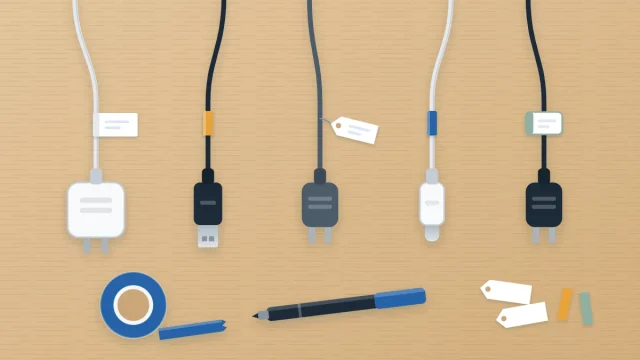
A coiled cable with no device attached is anonymous. Before it goes away, tag it with the device it serves: “Camera”, “Old tablet”, “Bedroom speaker”. Label the adapter block that belongs with it using the same word.
Tags, tape flags and color bands are compared in the guide on how to label cables and chargers. Any of them works for storage, as long as the label stays on the cable and clear of the connector.
Store one cable per compartment
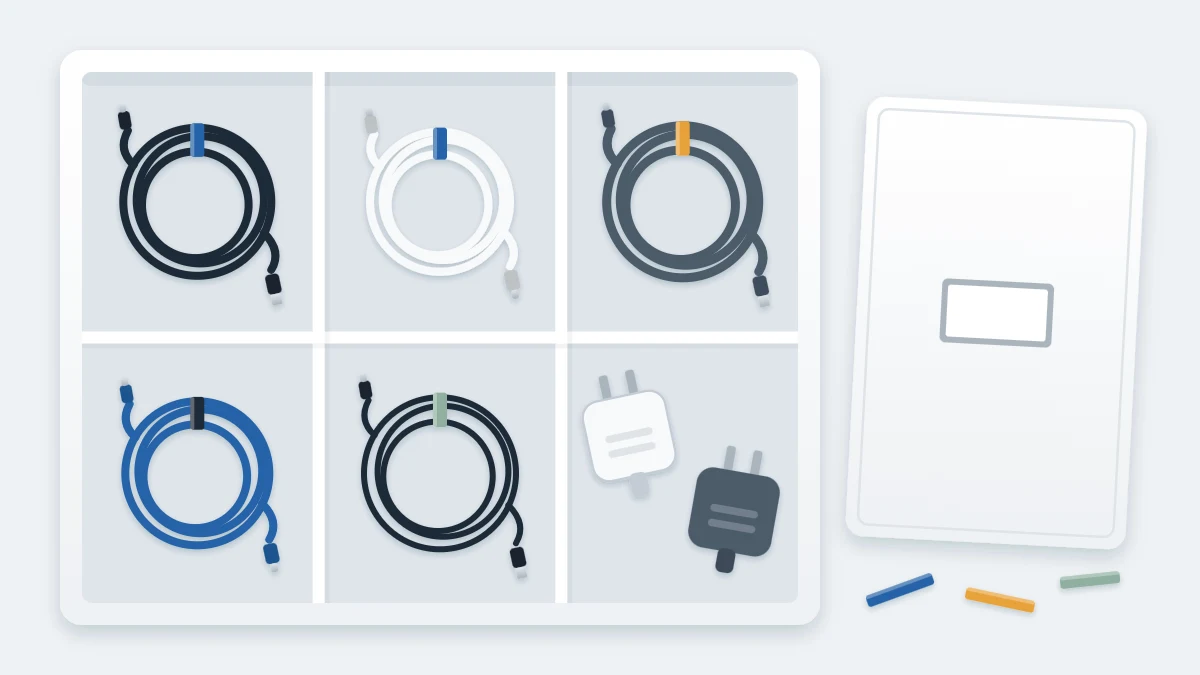
The rule that keeps the box from knotting again is simple: one cable, one compartment. Four low-cost ways to do it:
Zip bags in a box
Each coiled cable goes into its own small zip bag with its adapter, and the bags stand upright in a lidded box like index cards. Write the device name on the bag as well. This suits most homes and makes it easy to pull out one cable without disturbing the rest.
A divided box
A clear box with fixed or adjustable dividers gives each cable a visible cell. Measure the shelf or drawer where the box will live before choosing one. This suits a collection that changes little.
Paper tubes in a drawer
Empty paper-towel or bathroom-tissue tubes, stood on end in a shallow box or laid in a drawer, each hold one coil. Write the device name on the outside of the tube. This costs nothing and works well for thin cables.
A hanging pocket organizer
A clear over-door pocket organizer, the kind sold for shoes or accessories, holds one cable per pocket at eye level. This suits a household with many cables and no free drawer. Check that the door still closes.
Tip
Arrange the compartments by device type, not by connector: computer cables together, audio together, camera and travel together. You look for a cable because of what you want to plug in.
Keep chargers with their cables
A charger separated from its cable is two mystery objects instead of one useful set. Store each adapter block in the same bag or compartment as its cable, and keep the pairing the device maker supplied or recommends.
Plug adapters for travel and small connector adapters get one compartment of their own, labeled, so they are not loose at the bottom of the box.
Where the box lives, and what stays out of it
Store the box somewhere dry and at ordinary room temperature, on a shelf or in a drawer you can reach without moving other things. Label the outside “Spare cables”.
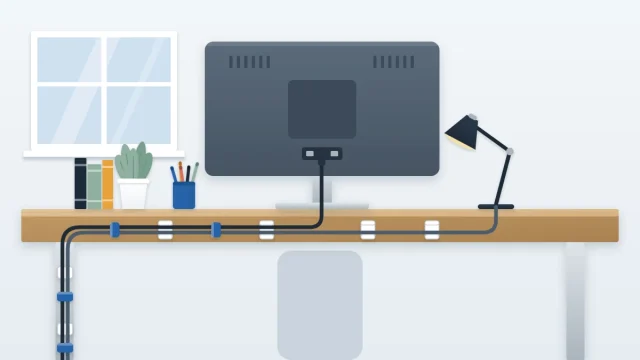
The box is for spares only. Cables in daily use belong at the desk, routed and grouped as described in the guide to desk cable organization, not coiled away where you have to dig for them each morning.
Set a limit: the collection has to fit in this one container with the lid closed. When a new device arrives with its own cable, label that cable the same day, and check whether an older one can now leave.
Frequently asked questions
How do I know which old cables I can let go of?
Test each cable against the devices you still own and use. Anything that matches nothing goes into a dated bag, and other household members get a chance to claim it. If the bag is still untouched at the next sort, recycle the contents at a local electronics recycling point.
What is the best way to coil a cable for storage?
Make loose loops about the size of your hand, following the curve the cable naturally takes, and leave a short tail at each end so the connectors are not bent. Hold the coil with one soft reusable tie. Avoid tight winding, sharp folds, wire twist ties and rubber bands.
Can I throw old cables and chargers in the trash?
It is better to take them to a local electronics recycling point. Many areas run a drop-off site or collection program for cables, chargers and small electronics. Check what your local waste service accepts, and keep a small bag for these items until your next trip.